Server Side

Last updated: May 30th, 2024

System Requirements

Because this documentation using cPanel, a web hosting with cPanel is recommended. If you don't have web hosting or domain name, please Click Here, we can provide you.

  1. Linux Web Hosting (cPanel is recommended)
  2. PHP Version: 8.1, 8.2, 8.3
  3. PHP Extensions: Curl, GD2, MBString, OpenSSL, PDO, PDO_Mysql, Mysqlnd, allow_url_fopen, SourceGuardian, XML, JSON, Fileinfo, Intl
  4. MySQL 5.6.x / MariaDB 10.x.x or newer

Login To cPanel

Login to your cPanel or other hosting control panel. Our toturial is based on the cPanel.

Create Database

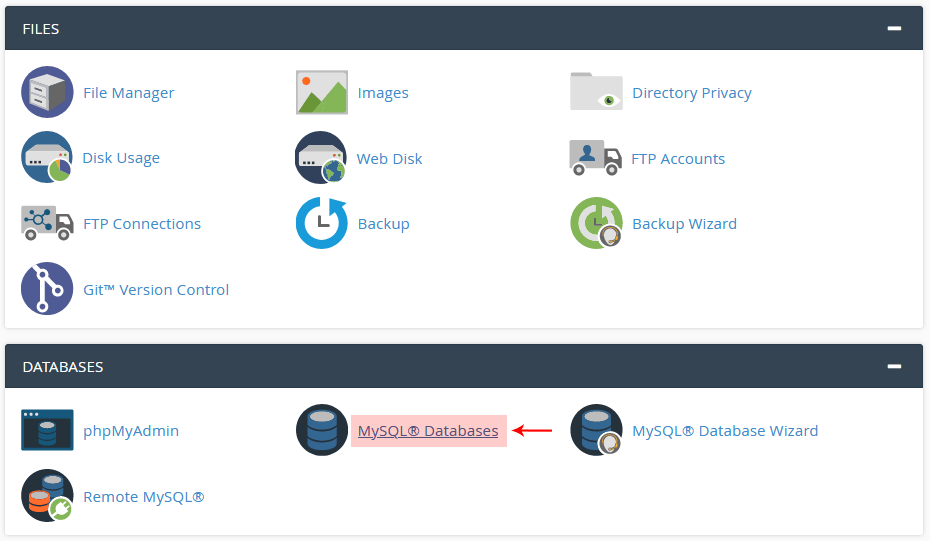
  1. Click on the: MySQL Databases
  2. Create database and give database name like you want, as example : 'viacoders_mydb’
  3. Create user for your database
  4. Add user to your database and check ALL PRIVILEGES
screenshot

Upload PHP Scripts

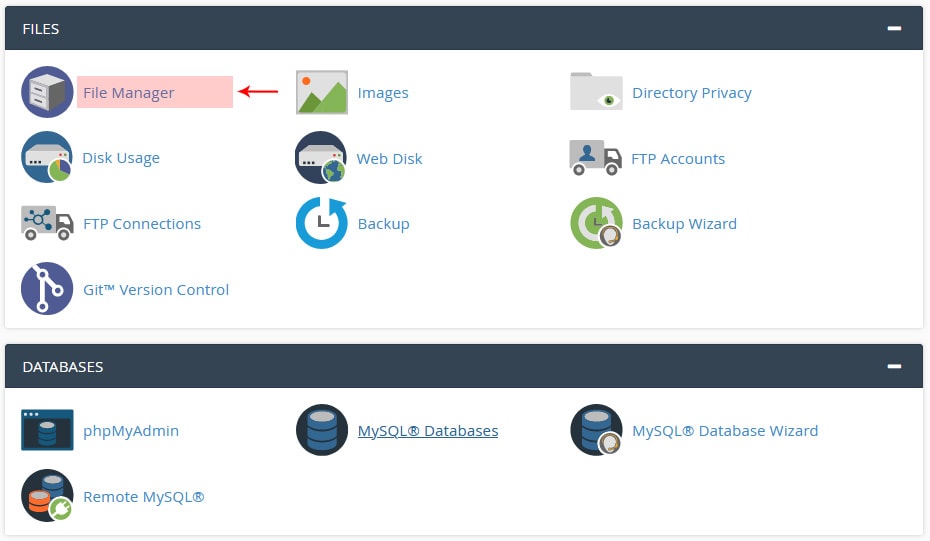
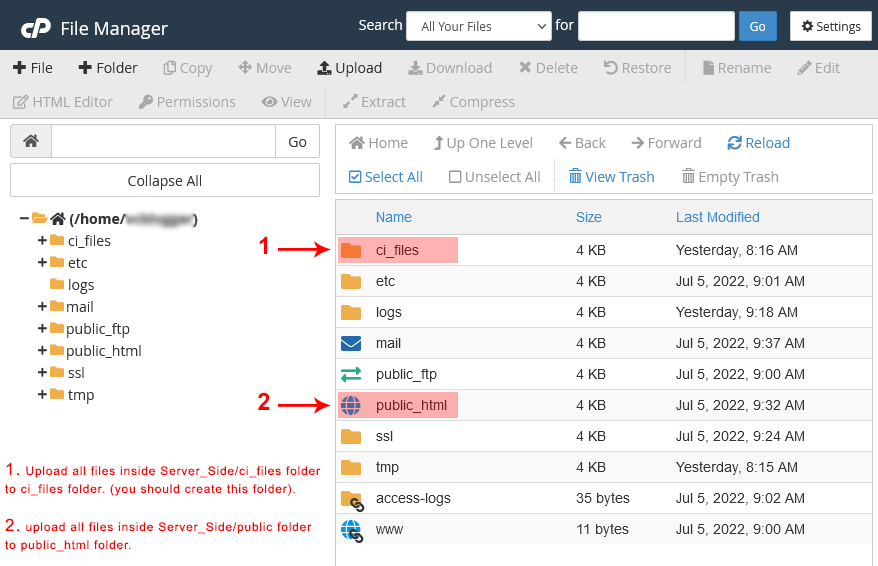
  1. Open File Manager via cPanel or use FTP Server to upload all files inside Server_Side/public folder to public_html folder destination on your hosting and upload all files inside Server_Side/ci_files folder before public_html in ci_files folder (you should create this folder). We highly recommended to compress all files into .zip file before you upload it and extract it after the .zip file is uploaded.
  2. Do not forget to upload .htaccess files! For example, Mac or Linux OS hides .htaccess files and you can upload the script without .htaccess files and you get error.
screenshot
screenshot

Be Careful:

Do not forget to upload .htaccess files! For example, Mac or Linux OS hides .htaccess files and you can upload the script without .htaccess files and you get error.

Installation Wizard

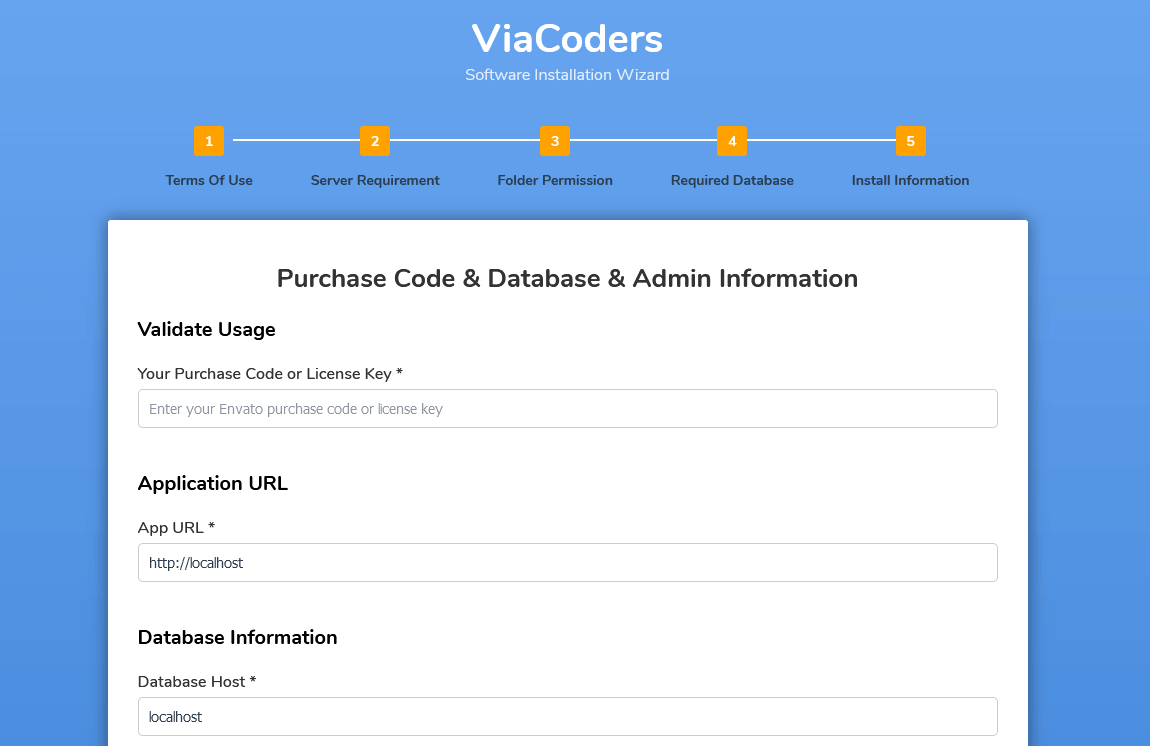
  1. Open www.YourDomain.com/install
  2. Follow the installation wizard.
  3. After successfull installation, please remove install folder from your hosting server and then login to admin dashboard from here: www.YourDomain.com/auth/login
screenshot

Default Language

CodeIgniter provides several tools to help you localize your application for different languages. While full localization of an application is a complex subject, it’s simple to swap out strings in your application with different supported languages.

  1. Open Server Side folder → ci_files → app → Config → App.php
  2. Change the value of public string $defaultLocale to your default language
  3. For more information about CodeIgniter Localization click here!

To change default language of Android Side, please follow android side tuturials.

FAQ

If there are any problems, please visit our FAQ page. Click Here!
Support Ticket

Didn't find your question on FAQ page?

Send your question to our Support Ticket System. We will reply you in the shortest time possible.